Pane

Always in view.

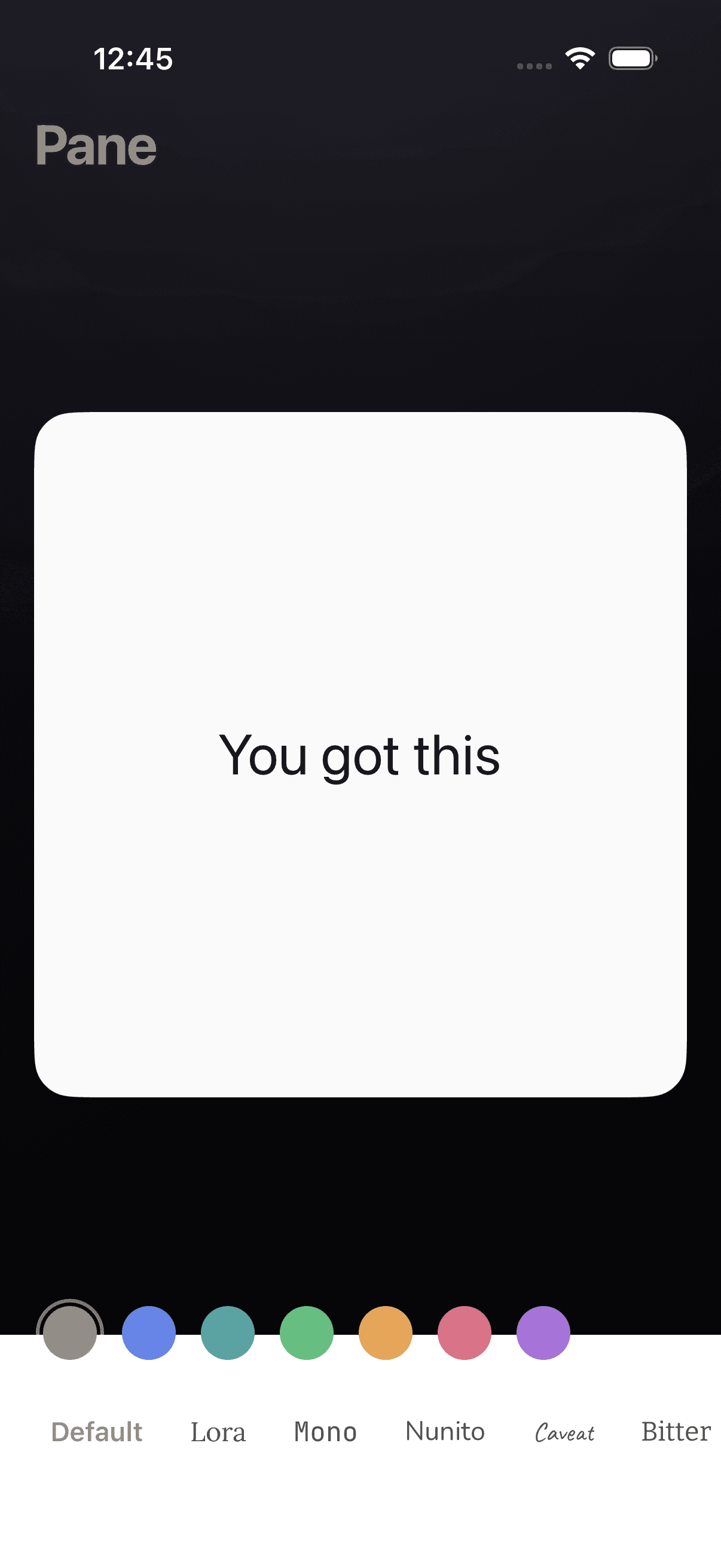
Put something on your home screen. A quote, a reminder, a few words you need to see. Pane keeps it there.

Download on theApp StoreOne note. Colors, type, and light or dark.
Write once.What matters stays visible.
Looks right.Quiet typography. Calm surfaces.
No clutter.No folders. No tabs. No drift.
What it does

Keep one thing in front of you.

01

Write something.

A quote. A reminder. A list. Whatever is worth keeping in sight.
02

Choose the feel.

Pick a palette and a typeface that matches the words.

03

Leave it there.

Pane keeps the same text on your widget. No app to open. No hunting.

Look & feel

Color and type you choose. Dark mode included.

Tune the palette and a typeface that fits your words. Each palette ships as a matched pair—light and dark—so your note stays legible on the home screen and in the app, day or night.

  • PaletteSeven palettes from neutral default to soft color. Pick one mood; the app and widget stay in sync.
  • TypographySame faces as the app—Default, Lora, Mono, Nunito, Caveat, Bitter—without changing your text.
  • Light & darkPreview either appearance. Contrast and balance match Pane on iOS.
Preview

Tap through appearance, palette, and type—the square widget updates live. Values match the Pane app (ColorTheme + FontStyle).

Appearance
Palette
Type
Widget (square)

do less. notice more.

Adjust once in Pane—your widget picks up the same colors, font, and system appearance.

Download

What's worth remembering?

Pane gives it a place on your home screen. Quiet enough to live with. Clear enough to matter every time you glance at it.